New Expense Submission flow 🎉

New Expense Submission flow 🎉
We are pleased to announce the release of the new Expense Submission flow! 🎉

We’ve done a lot to increase the odds that your expenses are submitted correctly, pass the essential checks from Collectives and Fiscal Hosts, and are paid promptly.

Hundreds of users have been trialing the new flow, and 1172 expenses have been paid successfully!
New Expense Submission flow 🎉 1
Sponsored

Want to know what’s new and how to continue submitting your expenses? Read on!

Automatic Activation: The New Expense Submission Flow will be automatically activated for all Open Collective users as part of the full public release. No action is required from your end. 

How do I submit an expense? 
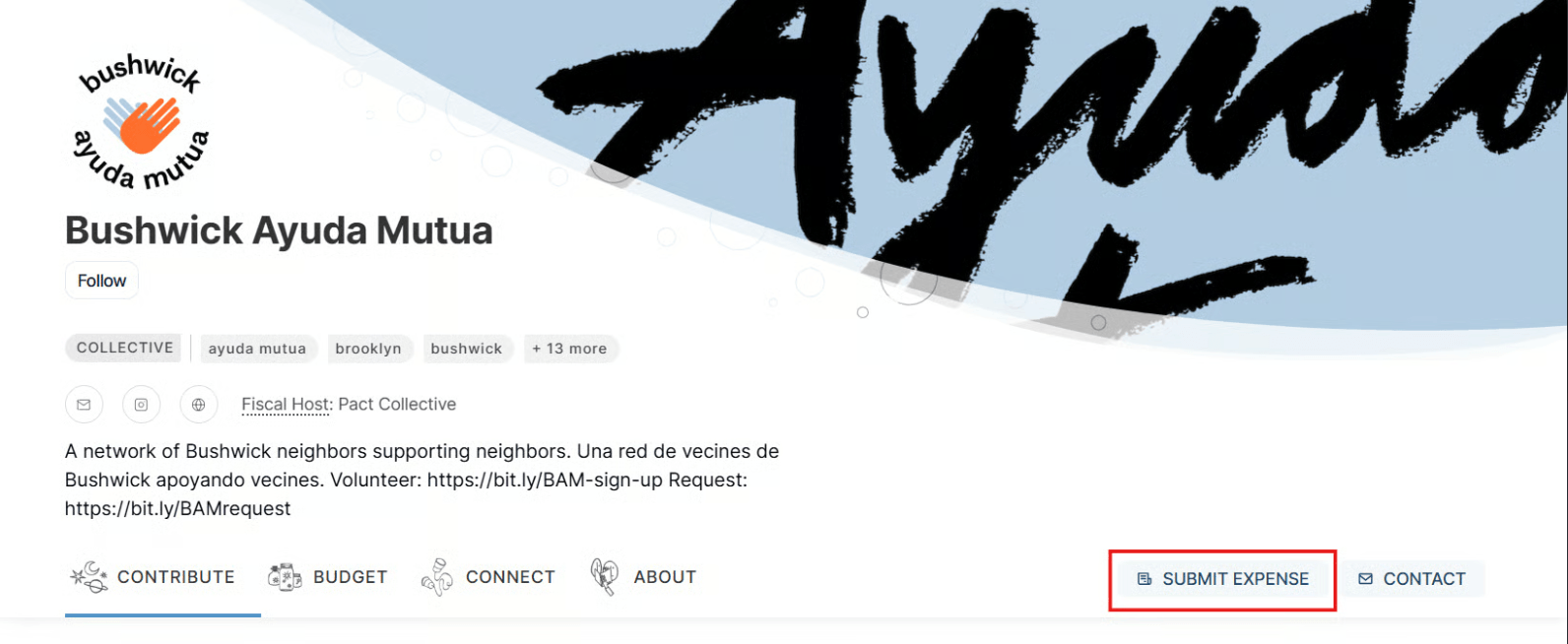
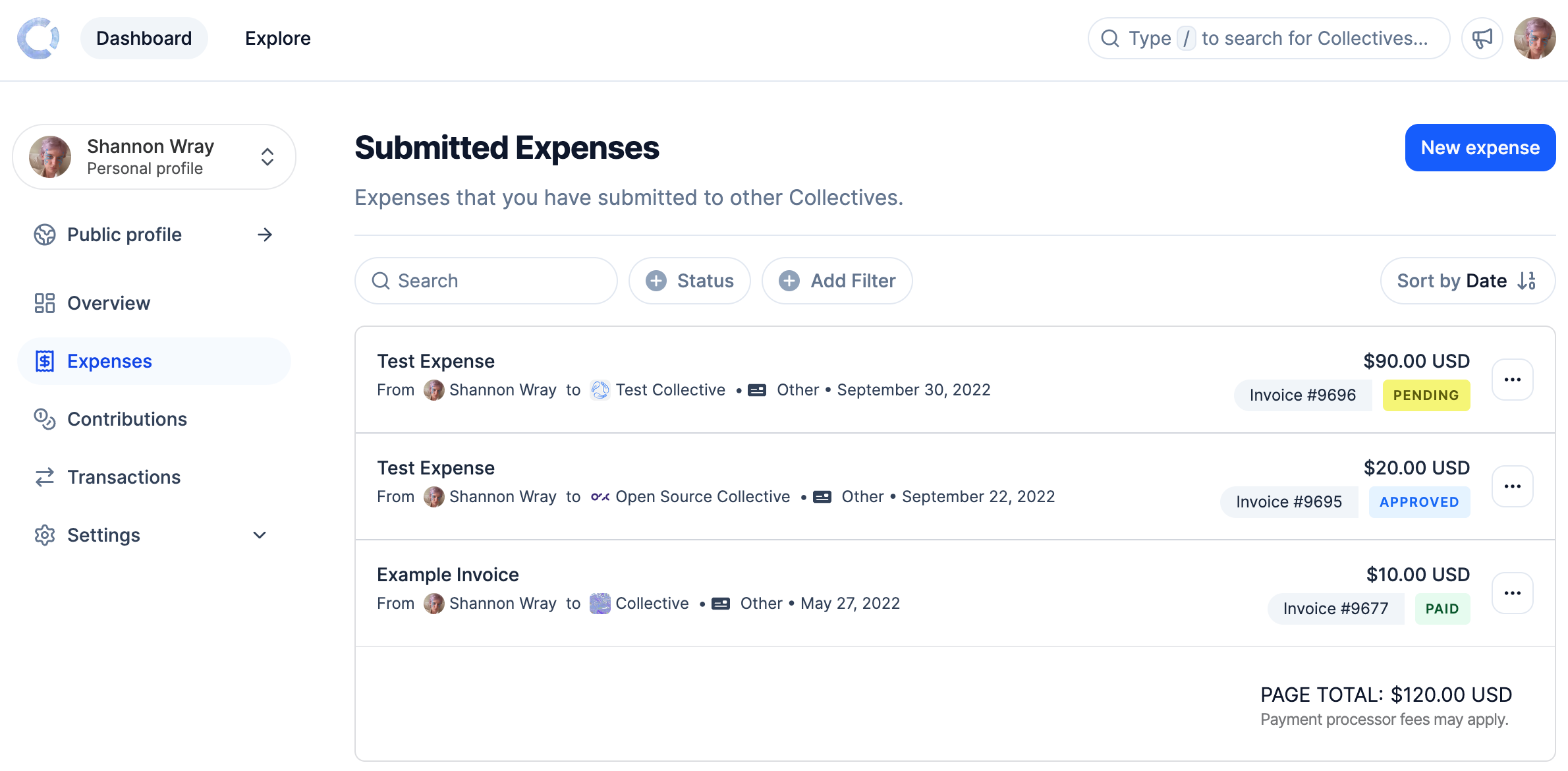
The submit expense button hasn’t moved; it’s still on the public profile pages, on the right-hand side, sometimes under actions. 
New Expense Submission flow 🎉 2
You can also submit expenses from your Personal Dashboard > Expenses > New expense button on the right-hand side.  
New Expense Submission flow 🎉 3
P.s. You can also duplicate an expense from here! Just click on the three little dots > Duplicate expense.

What’s changed?

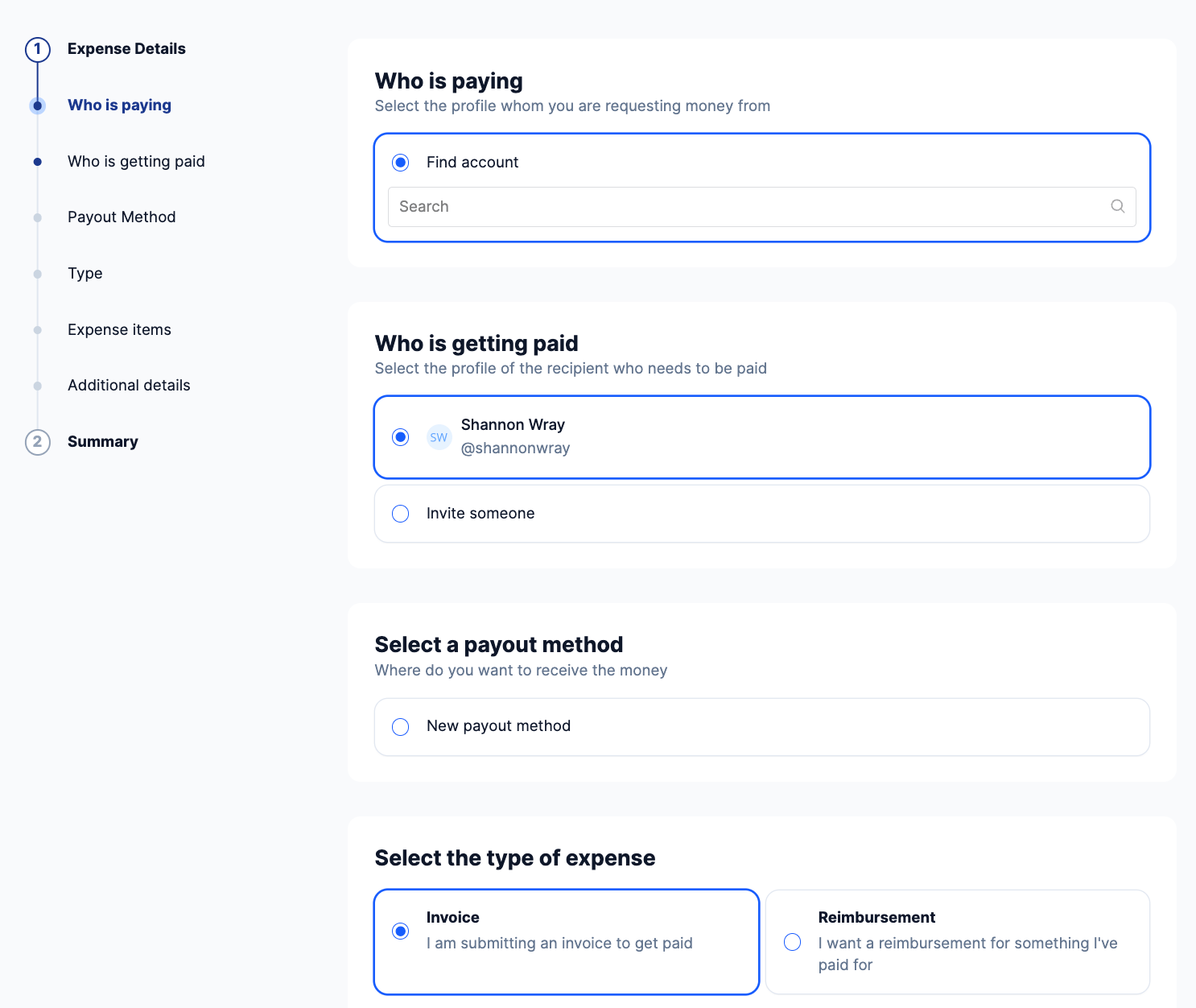
The new expense submission guides you step by step to correctly submitting an expense. It includes numerous checks to make sure your information is valid and meets host requirements:
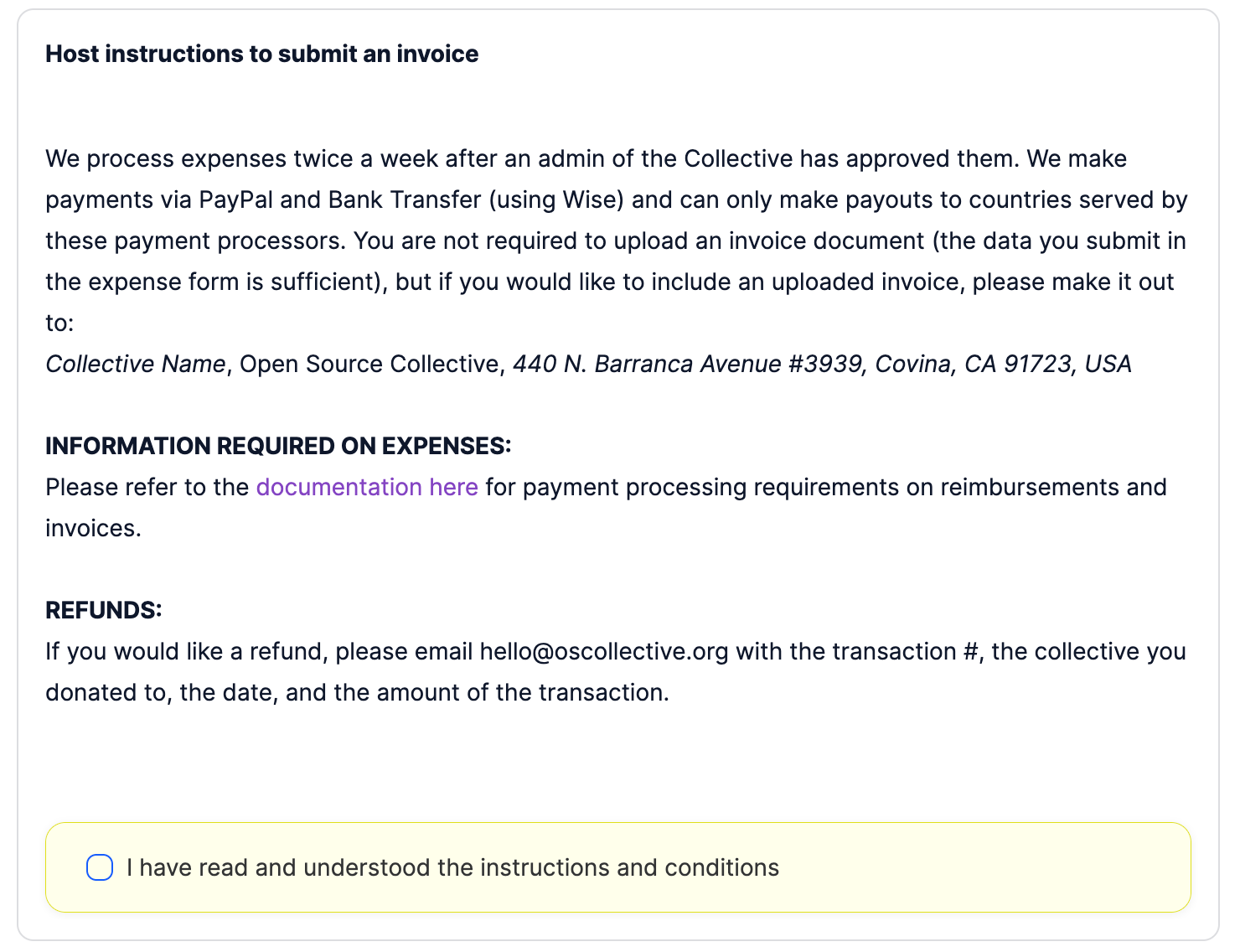
  • Expense Submission Instructions and guidance from both the collective and Fiscal Host are awaiting you.
  • The form will alert you to any required missing information.
  • Your legal name is checked against the name entered in your payment method.
  • In the end you will be presented with a clear summary to make sure everything is correct before submitting your request.
Once you have successfully submitted your expense, a pop-up will appear if you wish to provide us with feedback; otherwise, get in touch with our support team, comment below or leave us a message on our Discord.
For more information on submitting expenses, please read our Expense Submission documentation.

If you are looking for more detail, we’ve also created this video that walks you through the new expense submission flow.

Sponsored
Sponsored

Editing your Expense 

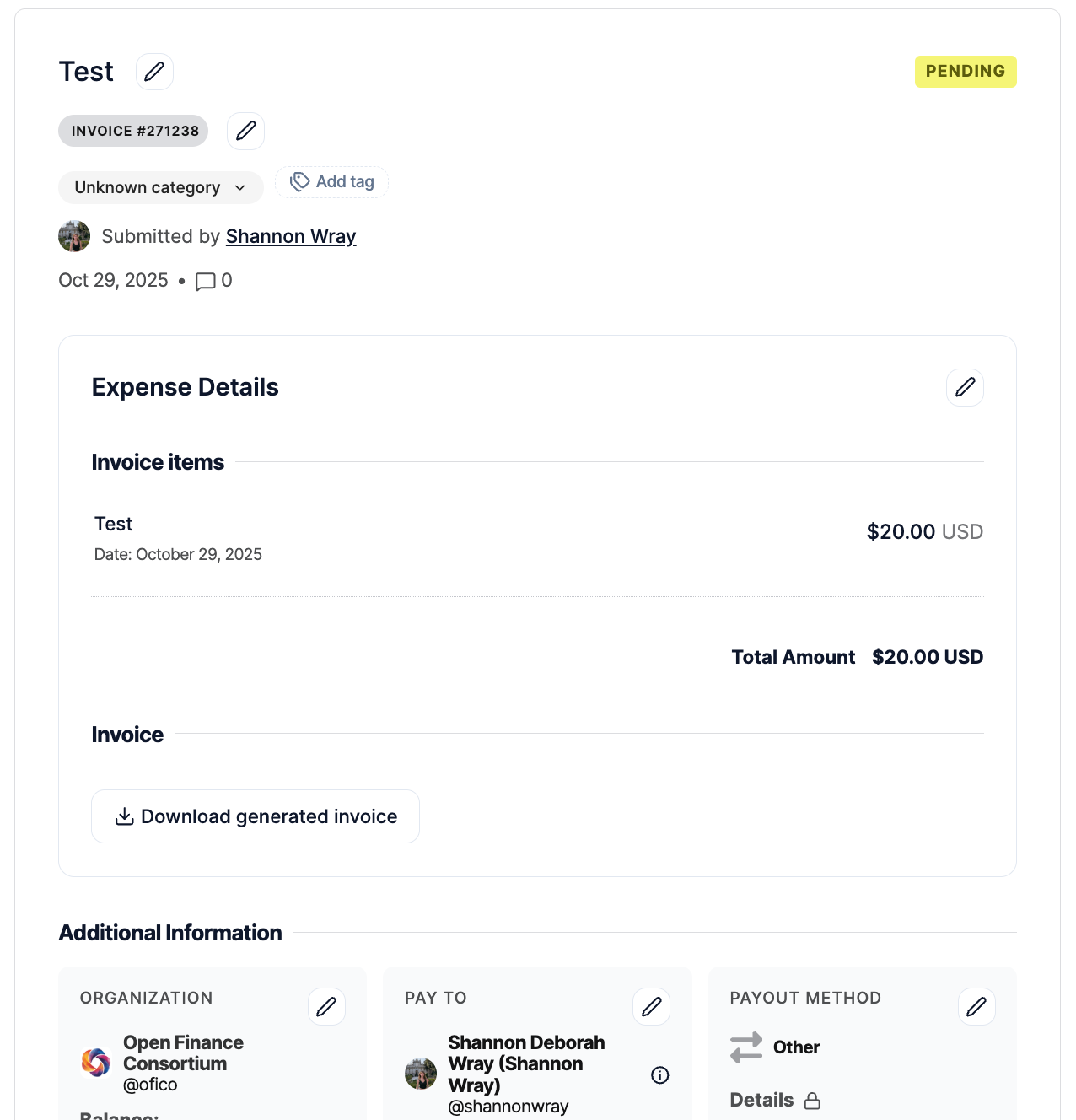
We’ve also upgrade the editing expense experience. You will now see little edit icons placed around the expense. This provides more granular editing capabilities so only the exact section that needs updating is affected.

New Expense Submission flow 🎉 4

 
This means that you can now change the Paid by (Organization) section, this is great if you’ve accidentally submitted the expense to the wrong account or sub-account. 

Grant submission 

We’ve also built a new grant submission form.

This new form is separate from expense submission and has been adapted to simplify grant submission.
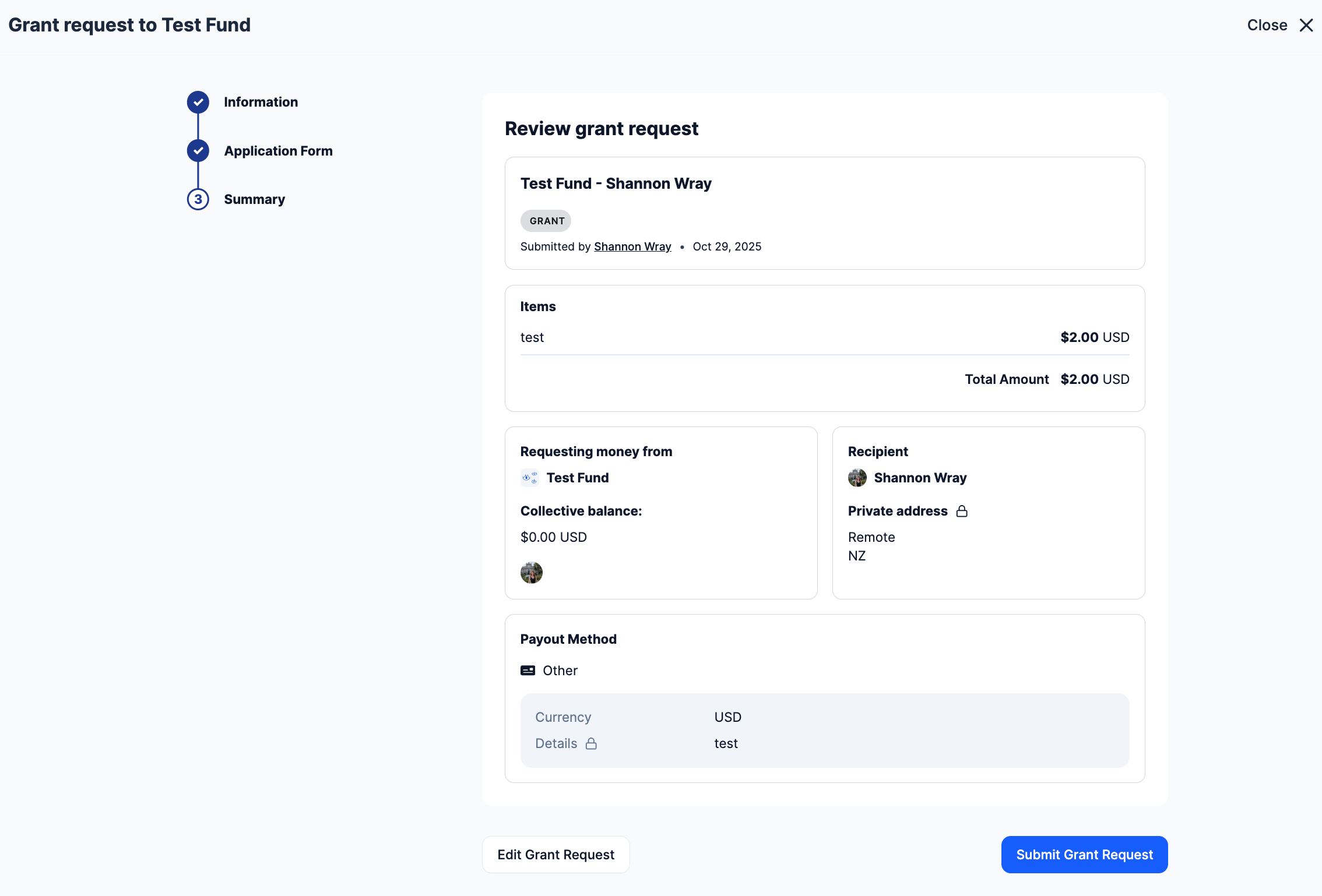
New Expense Submission flow 🎉 5

Expense Policies 

Attention Collective and Fiscal Host administrators! Make sure you have inputted your expense policies. The instructions will be presented to your expense submitters.
New Expense Submission flow 🎉 6
Navigate to your Dashboard > Settings > Policies. 

Input expense policies for your: 

  • Invoices 
  • Reimbursements
  • Grants 
  • Expense Title Policy 
Have any questions? Please don’t hesitate to get in touch with our support team or send a message to our Discord. 👾

Thank you for being an essential part of Open Collective’s journey. We hope you enjoy the new Expense Submission Flow! ✨

Leave a Reply

Your email address will not be published. Required fields are marked *