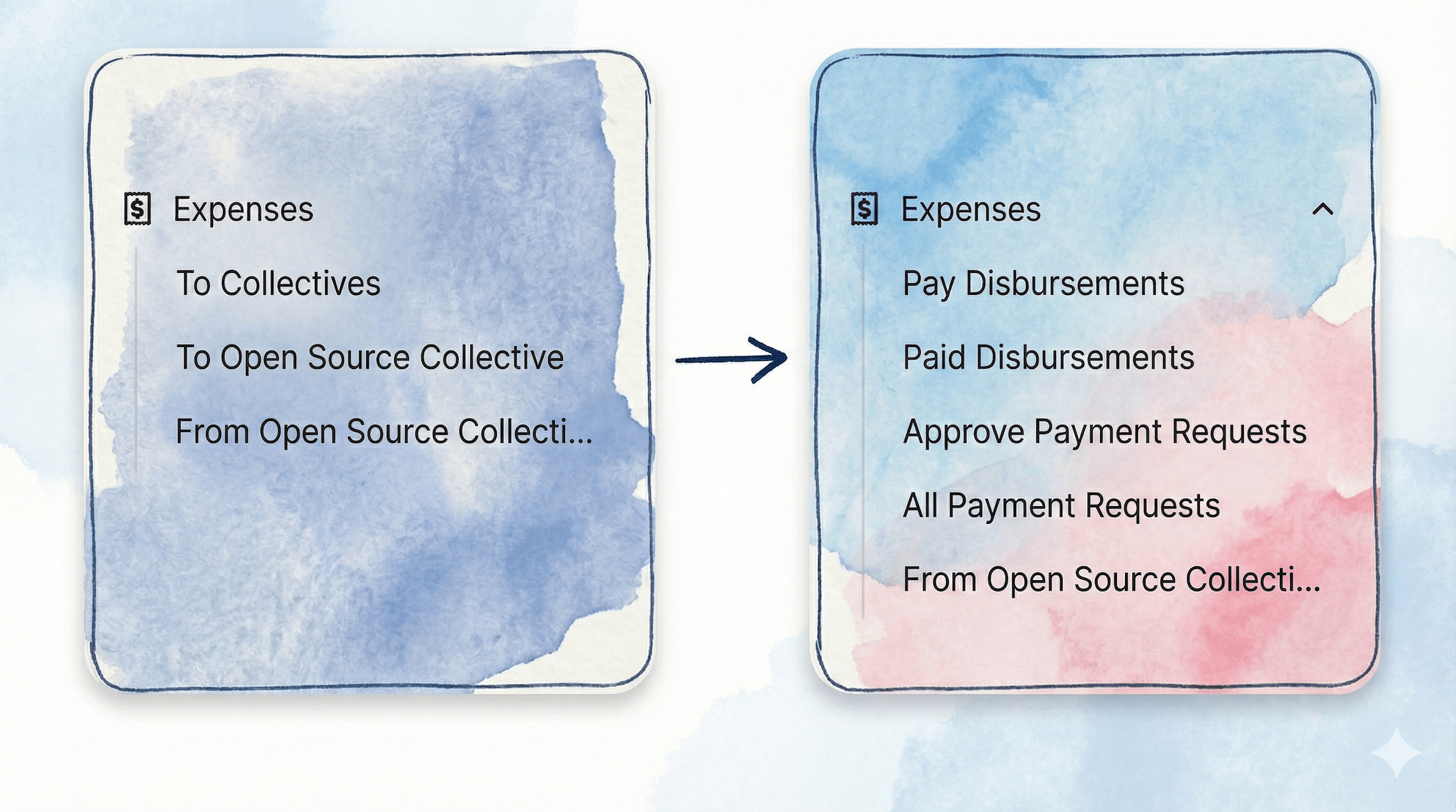
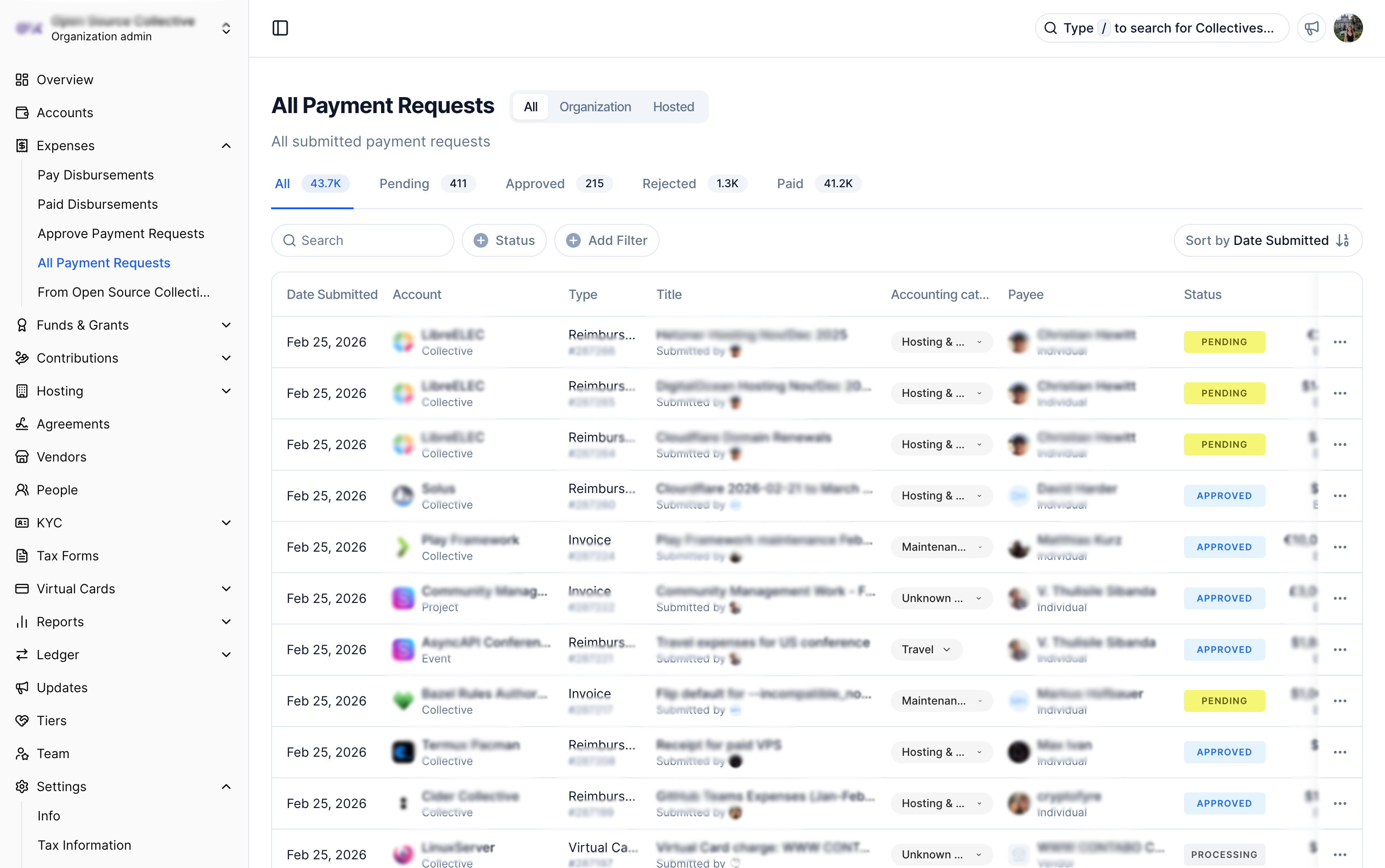
We are moving forward with our sidebar reorganization campaign! We are still primarily focusing on organization dashboards (which have the highest financial complexity) and gradually introducing changes to individual and collective dashboards. As a reminder, the intention behind this redesign is to make the platform more coherent, intuitive, and welcoming, especially for new organizations.
You will notice this feature spreading throughout the dashboard. We’ve introduced a global ‘All / Org / Hosted’ filter that is gradually being applied to more dashboard tools. It lets you clearly distinguish between financial activities related to your own organization and those related to your hosted collectives and funds.
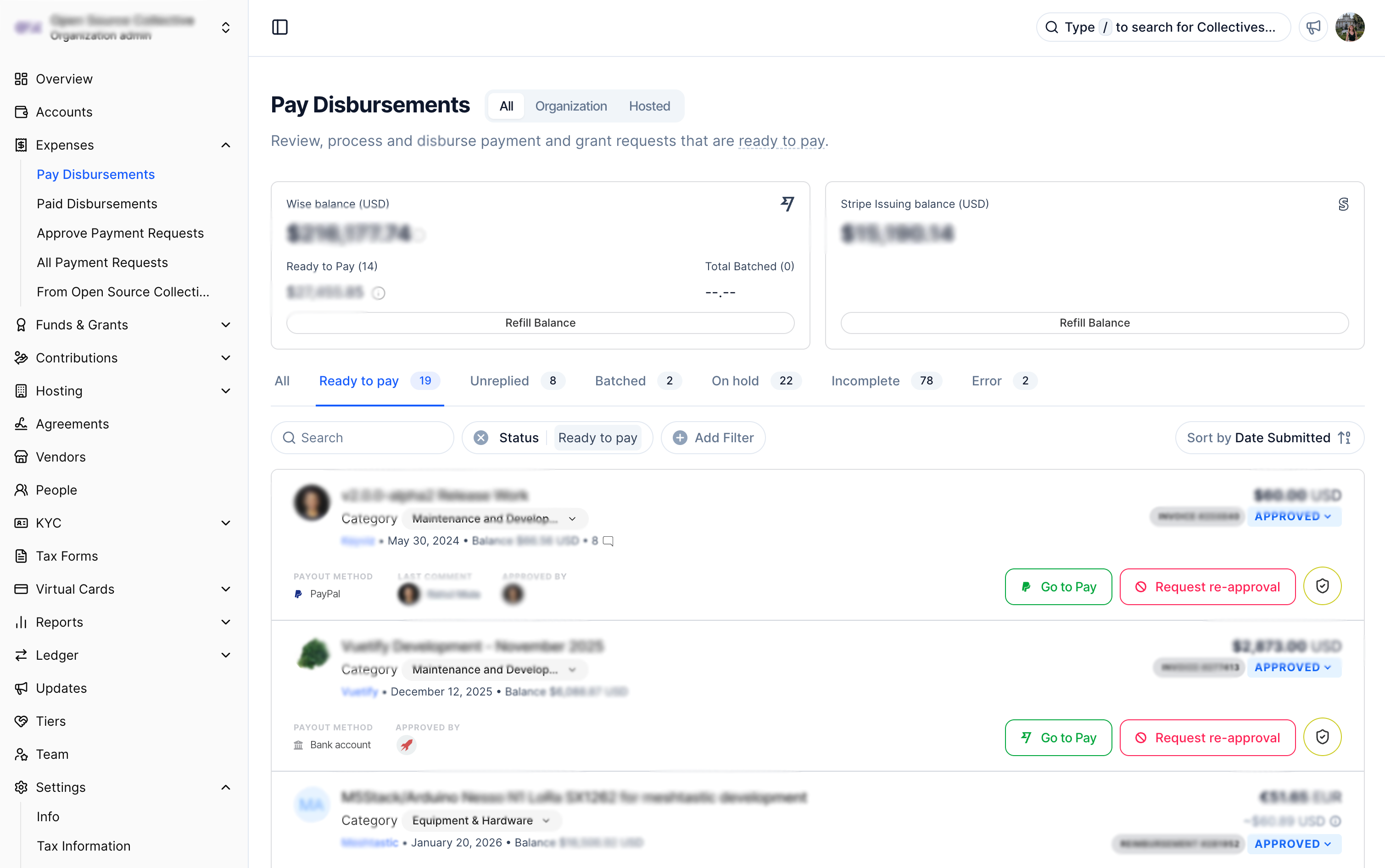
This is the tool you previously knew by the slightly misleading name, ‘To Collectives’ (under Expenses). We’ve renamed it to correctly describe its function: paying out funds. Because this section can include both payment requests and grant requests, we’ve opted for the term “disbursements” to cover both.
We have also removed the ‘Paid’ tab from this view. The tool should now feel like a true emptying queue. As you process your expenses, the queue empties out!
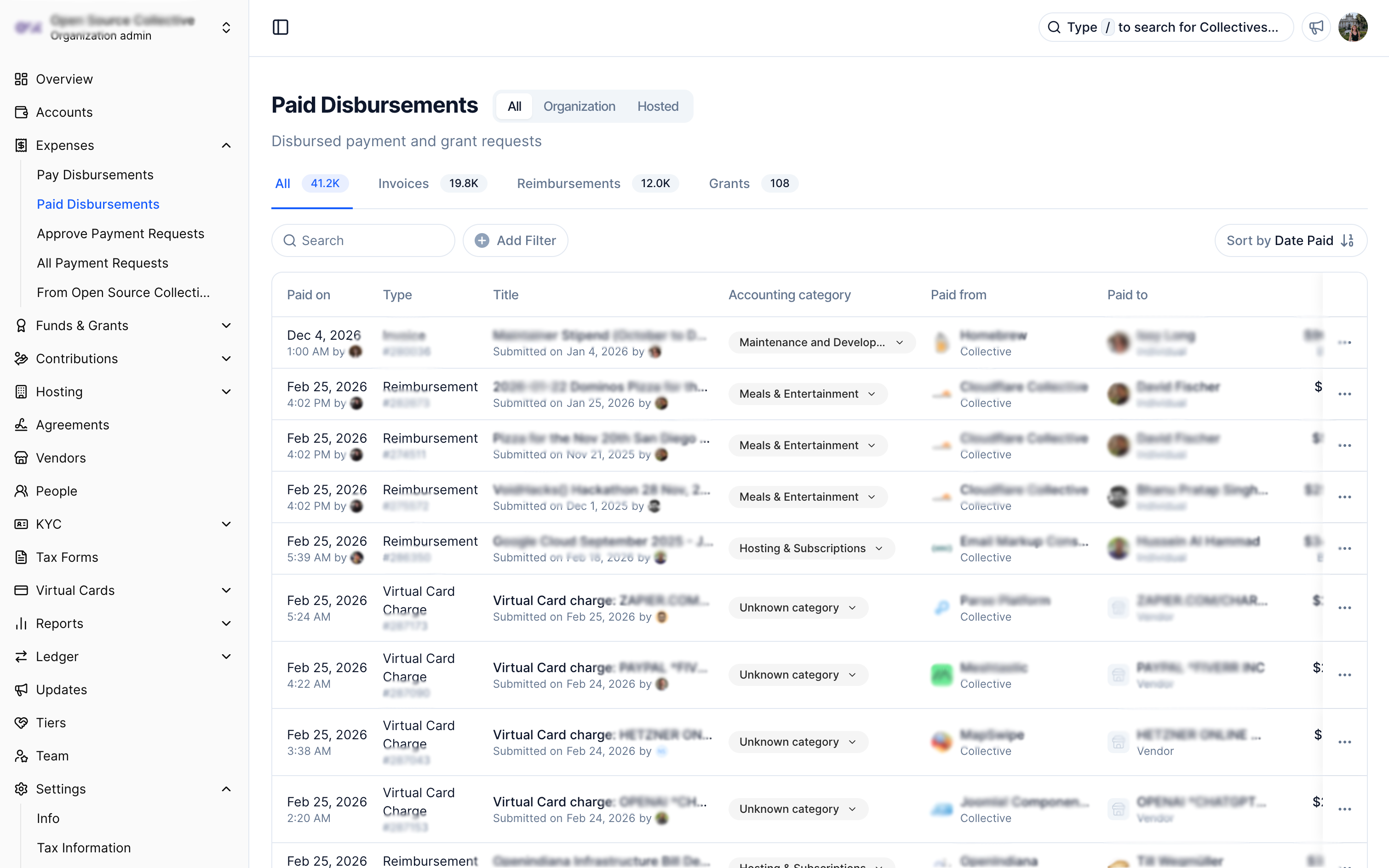
Paid Disbursements
We have transformed the ‘Paid’ (now removed from the active queue) into a separate tool. This provides a dedicated place to efficiently browse, filter, and search for everything you have already disbursed. We are using a more generous table format here to give you more information that is easier to read and navigate. (Note: The primary date field used in this tool is “Paid on.”)
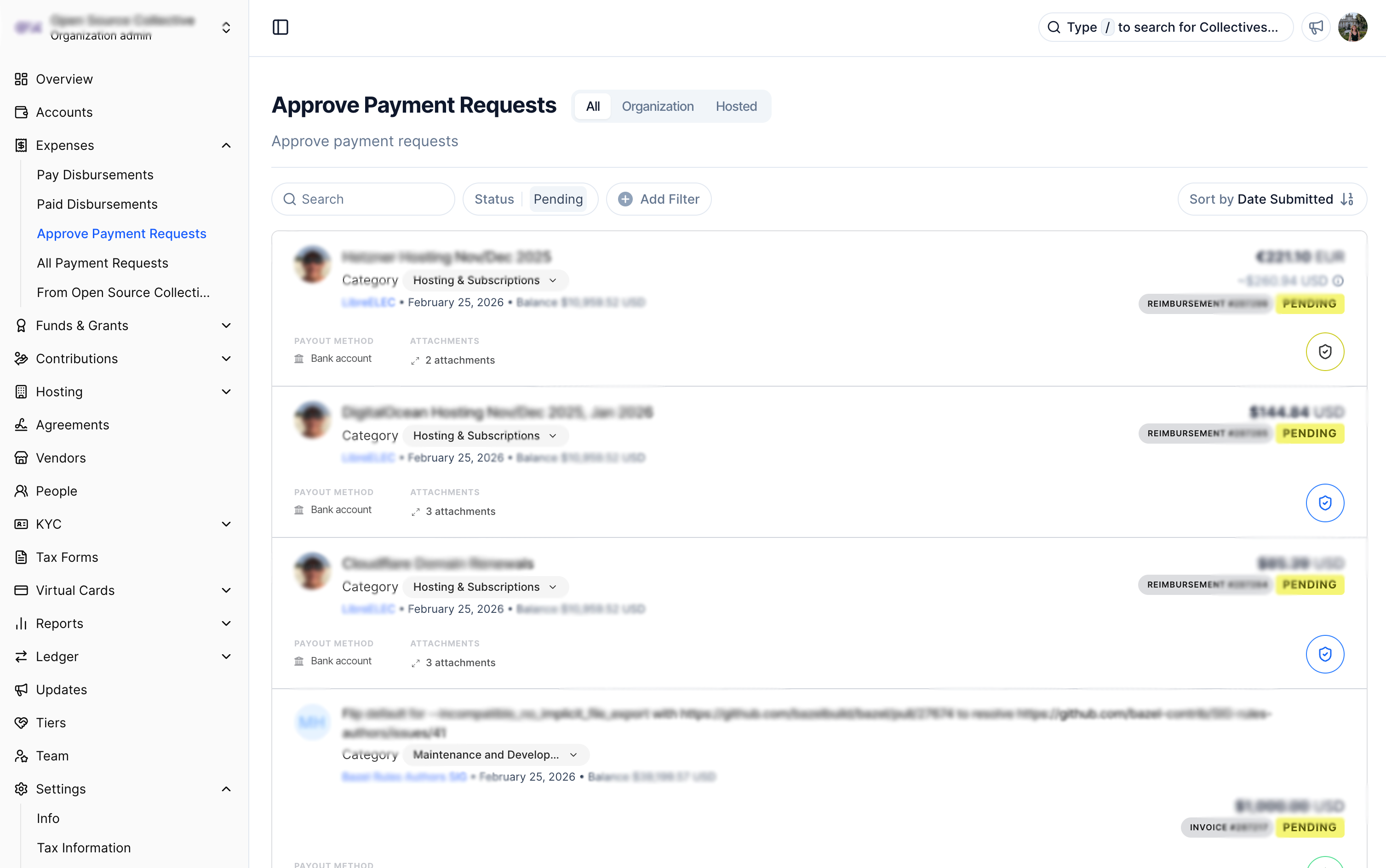
Approve Payment Requests
We’ve opted for an explicit name that aligns with the activity you expect here. Just like the Pay tool, this will behave like an emptying queue. If you have no payment requests to approve, the tool will simply be empty.
Thanks to the global filter, you now also have clear access to all pending payment requests submitted to your collectives, giving you a straightforward way to approve expenses on their behalf (nestled under more actions).
(Note: This tool does NOT include grant requests, which have their own dedicated ‘Approve Grant Requests’ tool).
All Payment Requests
Finally, this tool was added to give you total access to all payment requests, regardless of their status. (Note: The primary date field in this tool is “Date submitted.”)
We’ve kickstarted our sidebar reorganization campaign. We will gradually introduce improvements to the sidebar over the next few cycles (first and primarily for organization dashboards and then gradually to individual and collective dashboards). Sidebar redesign Firstly our sidebar has had a makeover! You may have noticed that the sidebar is now…
Providing insight into our product roadmap and, subsequently, the projects being worked on in our six-week cycles. Cycle Y25C6 ran from late September through early November 2025. This cycle focused heavily on quality assurance, user experience improvements, and preparing major features for public release.Cycle Six In Review This cycle focused heavily…
Providing insight into our product roadmap and, subsequently, the projects being worked on in our six-week cycles. We've been working hard and are excited to share a summary of the projects completed during Cycle Six. Cycle Six In Review This cycle focused heavily on quality assurance, user experience improvements, and preparing major…